User guide

Get the most out of Bauchgefühl.

From your first meal to a finished PDF for your doctor — every step explained, with real screenshots from the app.

1Getting started

The Today screen is your home base.

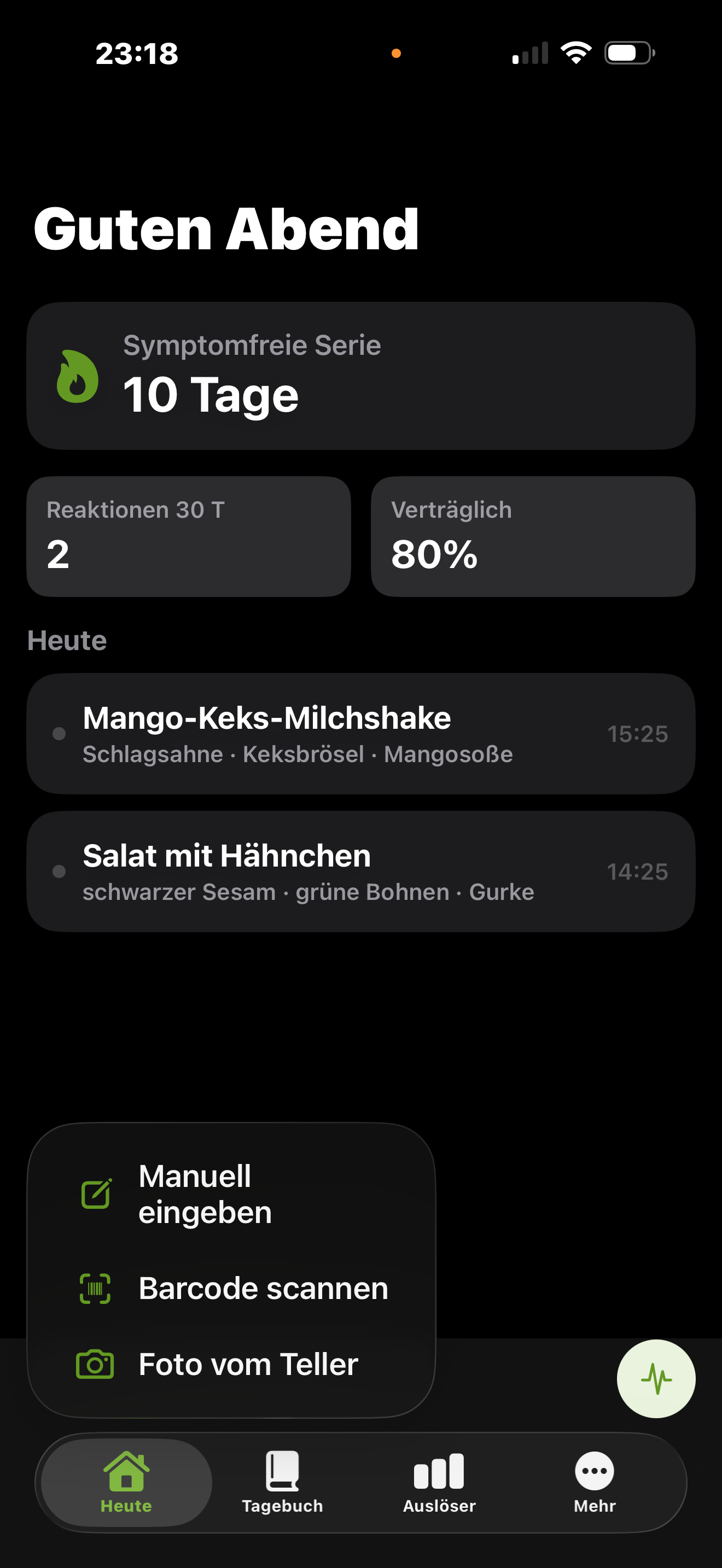
When you open the app you land on Today. At the top you see how things are going at a glance: your symptom-free streak, the reactions of the last 30 days and your tolerance rate.

  • Today's meals appear right below.
  • The bottom bar switches between Today, Diary, Triggers and More.
  • The green “Add meal” button is your starting point.
Tip: The numbers become more meaningful with every meal. At first the data set is small — that's perfectly normal.
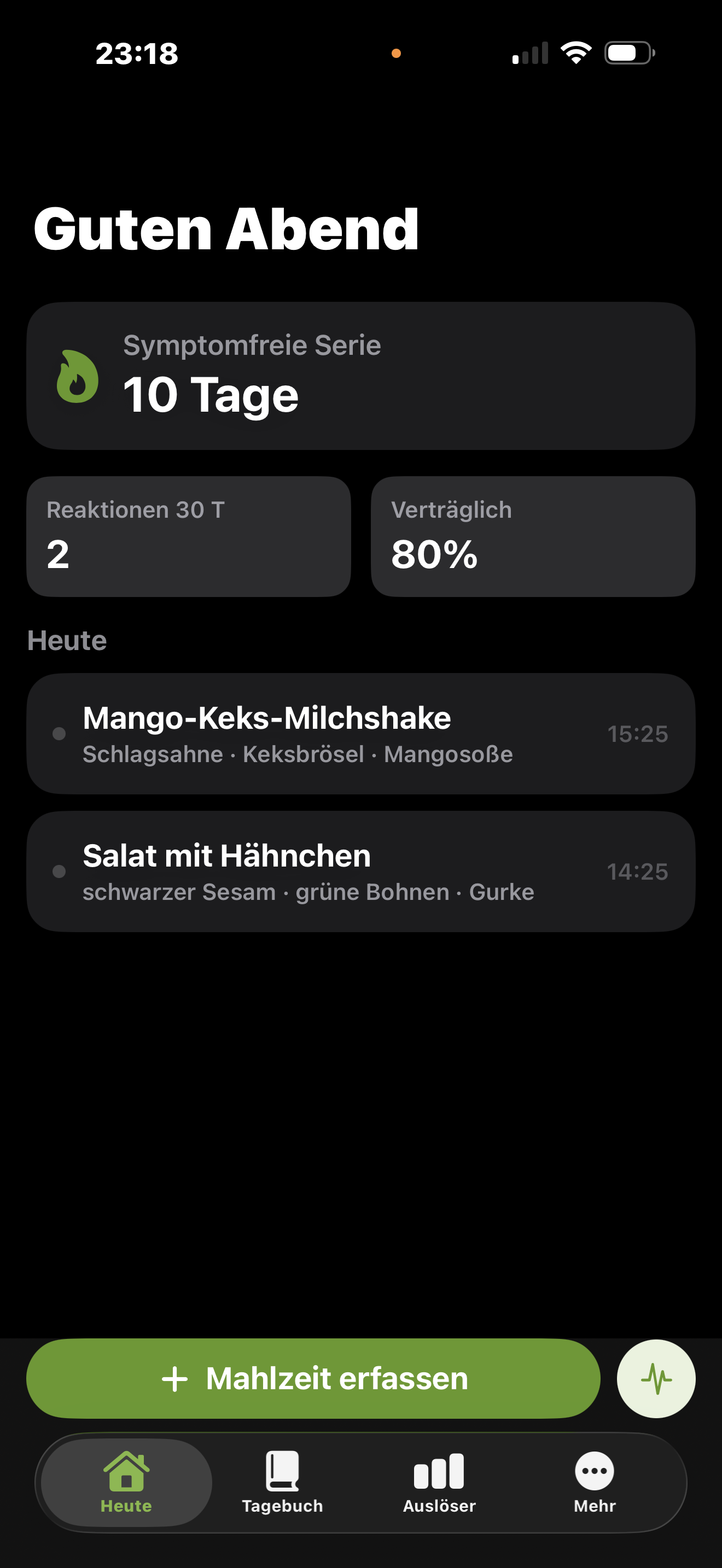
Today screen with symptom-free streak, reactions over the last 30 days, tolerance rate and today's meals.
2Logging

Add a meal — your way.

Tap “Add meal”. A small menu opens with three routes:

  • Enter manually — type the name and ingredients yourself.
  • Scan a barcode — the camera reads the EAN code of packaged products. Without a camera (or in the simulator) you simply type the number.
  • Photo of the plate — take a picture or pick one from your library.
Good to know: The “Photo of the plate” option only appears when AI detection is active (see step 4). Without active AI, a photo simply serves as a reminder.
Logging menu with the options enter manually, scan barcode and photo of the plate.
3Ingredients

Ingredients are suggestions — you stay in control.

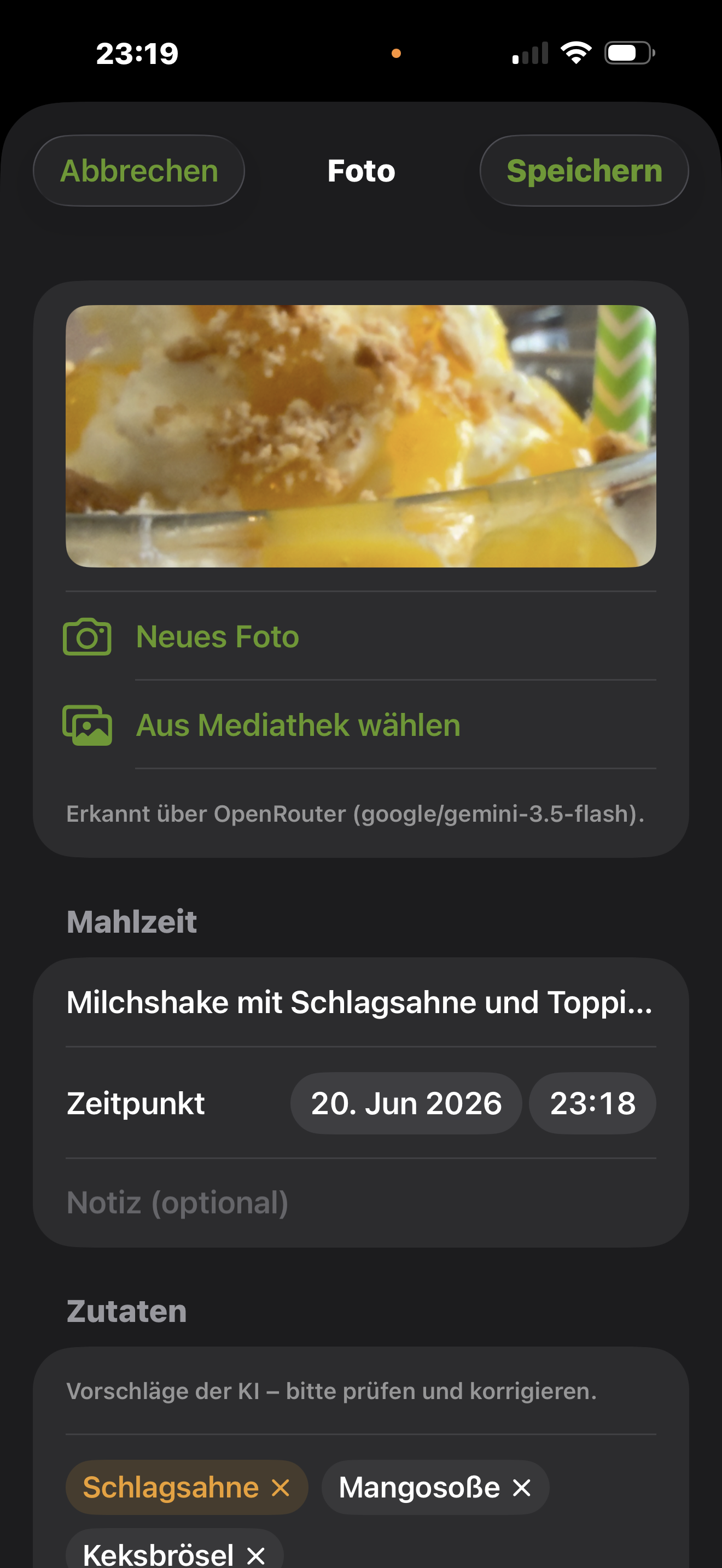
After logging, you see the meal name, the time and the detected ingredients as small chips. Above them it shows where the suggestions came from — for example “Detected via OpenRouter”.

  • Wrong ingredient? Tap the × on the chip to remove it.
  • Missing something? Just add the ingredient by hand.
  • Adjust the time and note freely — even for a meal from yesterday.
Why it matters: The cleaner your ingredients, the more reliably the insights find real patterns later on.
Logging detail: photo of a dish, source of detection, meal name, time and ingredients as removable chips.
4Enable AI

Add your OpenRouter key (optional).

AI ingredient detection is off by default. If you'd like to use it, add your own OpenRouter API key in Settings (the “More” tab).

  • Create a key at OpenRouter and paste it into Settings.
  • You can freely choose the AI model — by free text or from the model list.
  • Only then does “Photo of the plate” appear in the logging menu.
Privacy: Only with an active key is a photo or dish name sent to OpenRouter to suggest ingredients. Without a key, none of that leaves your device. You can remove the key at any time. See our privacy policy for details.
Logging detail showing that ingredients were detected via OpenRouter.
5Symptoms

Record how you feel.

You define symptoms yourself — bloating, diarrhea, headache and so on. You link them to a meal via multi-select and optionally add a severity level.

  • One meal can have several symptoms — and vice versa.
  • The link is editable at any time.
  • Symptoms you no longer need can be archived rather than deleted — so your history stays intact.
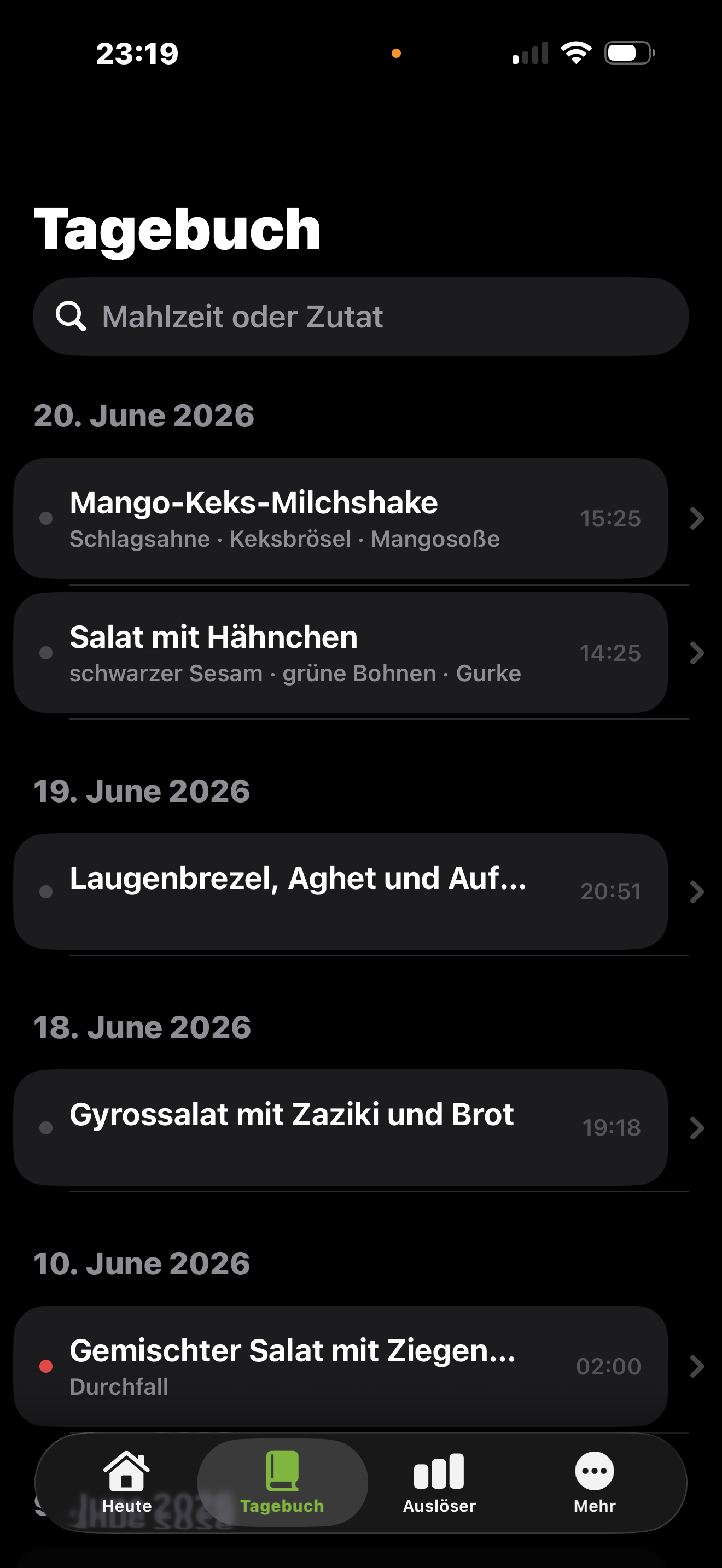
In the diary, a colored dot marks meals you reacted to — so you spot reactions instantly.
Diary with meals grouped by date; one entry with diarrhea is marked in color.
6Diary

Find everything and fix it up.

In the Diary, your meals are grouped chronologically by date. The search field gets you to a specific meal or ingredient fast.

  • Search by meal or ingredient.
  • Open an entry to edit it — name, ingredients, time, reactions.
  • Reactions can be added or removed after the fact.
Diary view with a search field and meals grouped by date.
7Insights

Read and understand your triggers.

In the Triggers tab, Bauchgefühl analyses your entries. At the top sit the key figures — number of meals and your reaction rate. Below, the app shows what stands out.

  • Likely triggers with a lift factor, e.g. “glutamate + fat: 2.8× more symptoms”.
  • Trigger properties such as histamine, fermented or processed — with how well each is backed by data.
  • Via “More insights” you reach charts for reactions per month, symptoms, severity and tags.
Lift factor in brief: it shows by what factor symptoms occur more often when a certain ingredient or combination was involved — compared to your average. A hint, not a diagnosis.
Triggers view with reaction rate, a detected glutamate-plus-fat trigger, trigger properties and top ingredients.
8Export

A clean PDF for your doctor.

Want to take your observations with you? Export them for a chosen date range as a PDF or CSV.

  • Set the range with a from/to date.
  • The PDF lists every meal with date, name, status and ingredients — plus a summary, top ingredients, symptoms and the charts.
  • The CSV contains your full data for further processing.
Insights overview that serves as the basis for the PDF export.
9iCloud sync

Sync — or deliberately don't.

Bauchgefühl can sync your entries across your devices via your private iCloud. This feature is optional.

  • In Settings you toggle iCloud sync on or off.
  • Sync runs solely through your own iCloud — not through third-party servers.
  • Without an iCloud login your data stays purely local on the device.
More details on data processing in the app and on this website are in our privacy policy.
The app's Today screen as an overview.

Bauchgefühl is not a medical app. It supports your self-observation but is no substitute for medical diagnosis or treatment. If symptoms persist, please consult a healthcare professional.